
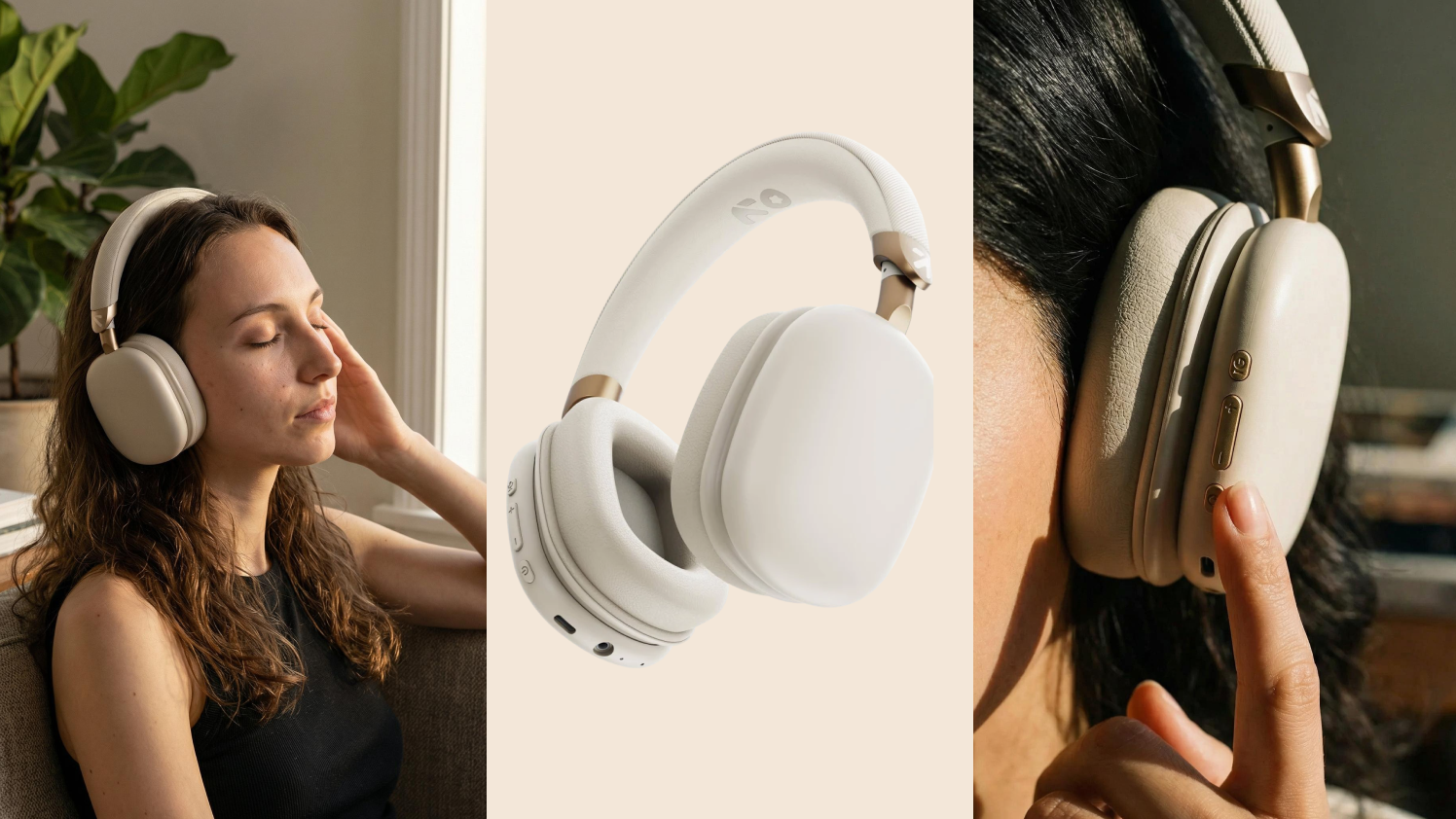
A product shoot used to feel like a brand moment.
The samples were packed. The photographer was booked. The moodboard was approved. The lighting was set. The team waited through edits, approvals, reshoots, and final file delivery before a campaign could go live.
For years, that process made sense.
Then ecommerce started moving faster than the studio calendar.
DTC brands now need product visuals for Shopify pages, Meta ads, email campaigns, festive drops, marketplace listings, influencer briefs, landing pages, retargeting creatives, and social posts. One product launch can easily need ten different image directions before the first campaign even starts.
That is where AI product photography has become more than a useful shortcut. It has become a serious creative workflow for ecommerce teams that need speed, visual consistency, and campaign-ready output without rebuilding a studio setup every time.
But the real shift is bigger than image generation.
DTC brands are moving from one-off AI tools to AI agents for product photography. These agents understand the product, the campaign, the brand style, and the channel before a single image is produced. The difference matters because ecommerce teams do not only need more images. They need the right images, built for real selling moments.
Why DTC Brands Are Moving Beyond Traditional Studio Shoots
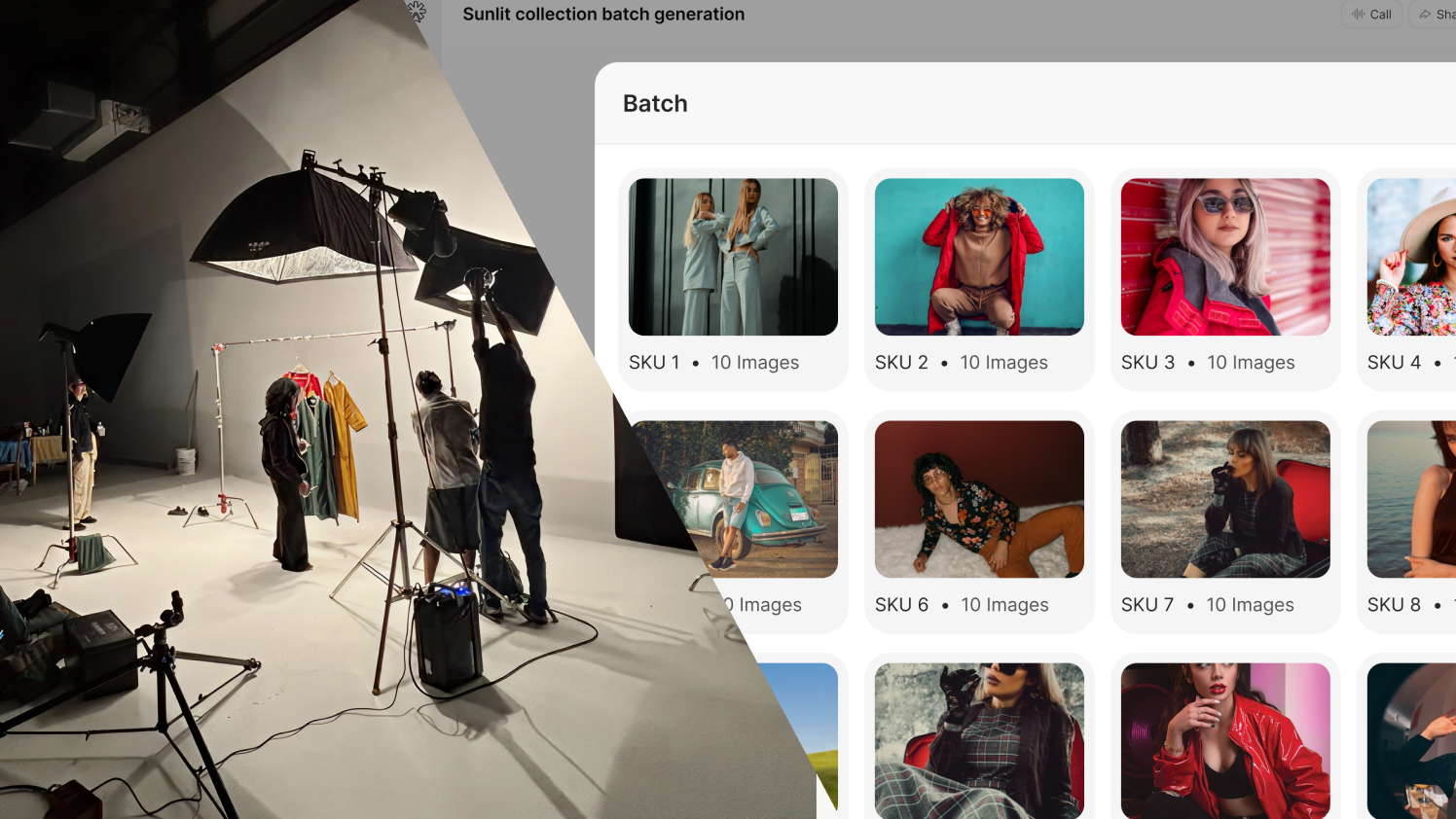
Traditional studio shoots still have a place in brand building. They work well for hero campaigns, premium editorial concepts, founder-led storytelling, large seasonal launches, and high-investment brand moments.
The problem starts when every small campaign, ad test, product update, or social push depends on the same heavy production cycle.
A DTC team may need a clean catalog image for a product page, a lifestyle visual for Instagram, a festive version for a campaign, a benefit-led image for paid ads, and a premium editorial visual for a landing page. Each variation adds more planning, more coordination, more cost, and more delay.
That delay affects more than the creative team.
Performance teams wait for fresh ad visuals. Social teams reuse the same assets. Email teams compromise on banners. Founders ask for stronger brand quality. Designers get pulled into endless resizing, retouching, and adaptation work.
This is why AI product photography has become attractive for DTC brands. It gives teams a faster way to create product visuals, test campaign directions, and build more assets without depending on a full studio shoot for every requirement.
For DTC brands built on Shopify, this tension is even sharper. Products go live, inventory changes, new drops land, and ad sets need refreshing — all on timelines that studio production simply cannot match. This is not a creative problem. It is an infrastructure problem.
AI product photography does not replace creativity. It removes the friction sitting between a creative idea and a live campaign asset.
What Is AI Product Photography?
AI product photography is the process of using artificial intelligence to create, stage, edit, or adapt product visuals for ecommerce and marketing use.
At a basic level, a brand can upload a product image and use an AI product image generator to place that product into different backgrounds, scenes, moods, and campaign settings. A skincare bottle can appear on a bathroom counter, inside a spa-style setup, beside travel essentials, or in a festive gifting scene. A fashion product can appear in catalog-style layouts, lifestyle frames, or campaign-led visual worlds.
This helps brands generate product photos with AI for different use cases without planning a full shoot every time.
A strong AI product photo generator can help teams create:
- Clean product images for ecommerce stores
- Lifestyle product images for social media
- Campaign visuals for ads and landing pages
- Seasonal product scenes
- Product-led email banners
- Marketplace-ready images
- Product mockups for testing creative ideas
For DTC brands, the biggest advantage is flexibility. Teams can create product photos using AI and adapt them quickly across channels without waiting for new props, locations, photographers, or editing cycles.
That said, not every AI output is useful for ecommerce. A good-looking image still needs to protect product accuracy, match the brand’s visual identity, and support a real campaign goal.
That is where the conversation moves beyond basic AI tools.
Why Basic AI Image Generators Fall Short for DTC Brands
An AI image generator for ecommerce can create attractive visuals. But ecommerce teams need more than attractive output.
They need product accuracy. They need brand fit. They need repeatable image styles that look like they belong to the same brand, not three different ones.
A generic AI product image generator may create a beautiful scene, but it can also change the product shape, label, texture, color, packaging, or proportion. For DTC brands, that is a serious issue.
A lipstick shade cannot drift. A shoe silhouette cannot change. A food package cannot lose its label. A skincare bottle cannot appear with the wrong cap. A home decor product cannot look like a different material.
There is also a deeper problem that most DTC teams only notice after they have burned time on it.
Generic AI tools do not remember your brand between sessions. Every prompt starts from zero. Three different team members using the same tool will produce three different visual directions. A campaign set produced in January will look different from one produced in April, not because the brand changed, but because the tool has no memory of what you established before.
That inconsistency compounds over time. It shows up in your Shopify store, your Meta ads, your email headers, and your social feed — and buyers notice it before your team does.
This is why many DTC brands are moving past the basic AI product photo generator and looking for something that actually understands the brand before it produces a single image.
The Shift Toward AI Agents for Product Photography
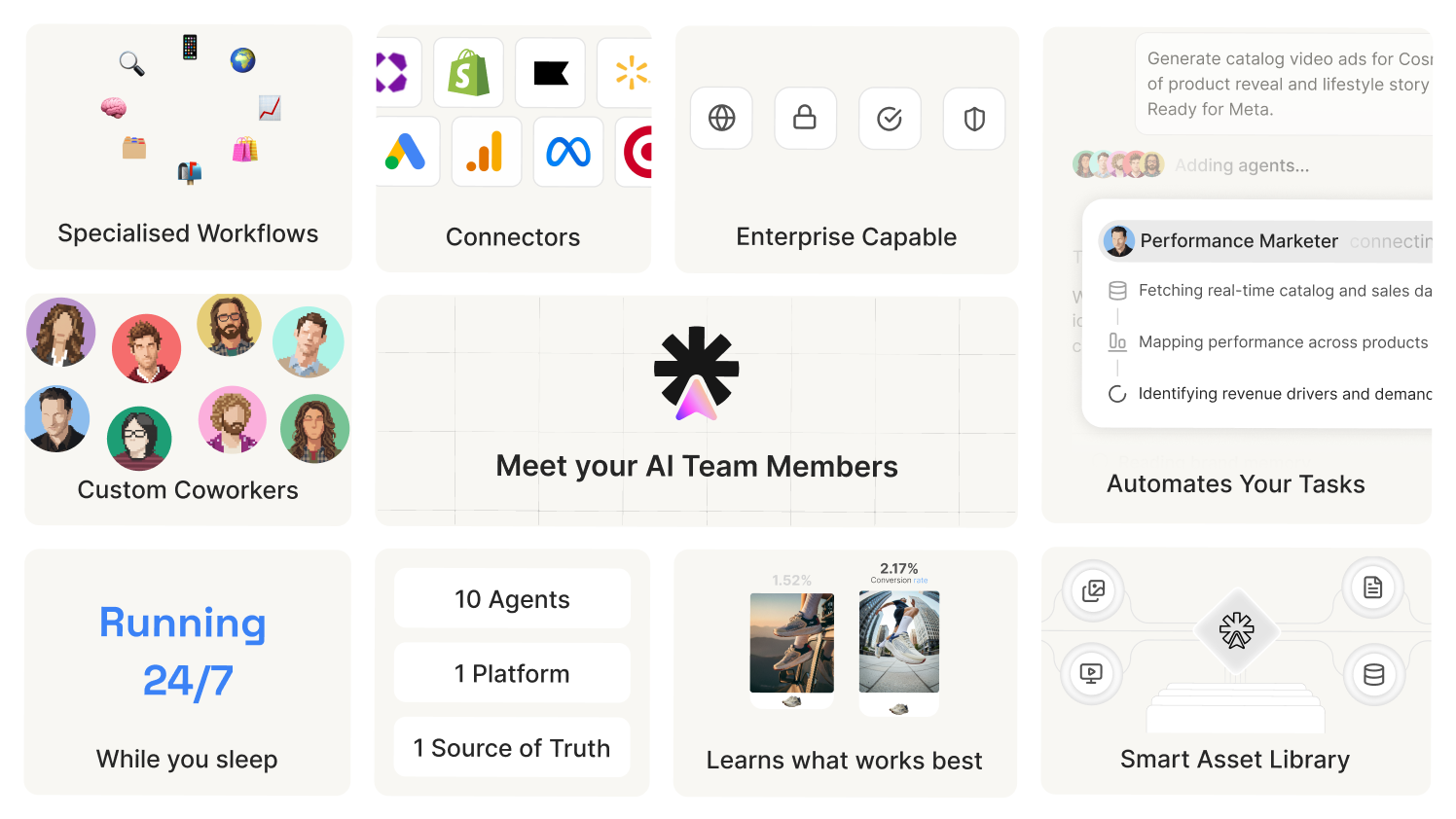
AI agents for product photography change the way brands use AI for visual creation.
A simple AI tool waits for a prompt. An AI product photography agent works with context.
It understands the product, the brand style, the campaign goal, the audience, and the channel before helping create the image. That turns AI product photography from a random image-generation task into a guided creative system.
A basic AI tool may create one product image. An AI agent for product image generation can support a repeatable product photography workflow. A basic tool may produce visual variations. An agent produces campaign-ready visuals that follow brand logic because the brand logic is already built into the system.
For DTC brands, this is where AI becomes genuinely useful. Instead of asking, “Can AI generate product photos?” the better question becomes, “Can AI help us create the right product visuals for this campaign, in our brand style, for the right channel, without us explaining the brand again from scratch every time?”
That is the shift. And it is exactly what ShopOS is built for.
How ShopOS Handles AI Product Photography
ShopOS approaches AI product photography as a connected system, not a collection of disconnected tools. Three things sit at the center of that system: Brand Memory, Spaces, and Monica.
Brand Memory: The Foundation That Makes Everything Else Work
Most AI tools forget your brand the moment the session ends. You spend ten minutes describing your visual style. You generate a set of images. You close the tab. The next time you open the tool, it knows nothing. A different team member opens it and gets a completely different output.
Brand Memory is how ShopOS fixes that permanently.
Setup takes under two minutes. You walk through your logo, colors, tone, and photography style once. From that point forward, every agent in ShopOS reads Brand Memory before producing any output. The brief does not need to be repeated. The brand does not drift between sessions or between team members.
What Brand Memory actually stores is worth understanding in detail, because it goes further than most people expect:
Visual Identity: Brand colors (primary, secondary, accent), typography preferences, logo placement rules, photography style (minimal, editorial, lifestyle, studio), and lighting direction (natural, studio, warm, cool).
Model Preferences: Preferred body types, age ranges, skin tones, default poses and expressions, styling direction, and hair and makeup guidelines.
Scenes and Settings: Background preferences by product category, recurring environments (coffee shop, gym, office, beach), seasonal scene variations, and prop preferences.
Brand Voice: Tone (casual, professional, playful, luxury), sentence structure preferences, words to use and words to avoid, CTA patterns, competitor brands to never sound like, and product naming conventions.
Compliance Rules: Category-specific restrictions, marketplace-specific requirements, legal disclaimers, and claim substantiation rules.
This is the difference between an AI tool and an AI system that understands your brand. When Spaces generates a product image, it checks Brand Memory first. When Monica produces a campaign direction, it checks Brand Memory first. Every output starts from the same foundation.
For DTC brands that have worked hard to build a recognizable visual identity, this is not a nice-to-have. It is the reason the system produces images that look like they belong to the brand rather than images that happen to look good.
Spaces: Purpose-Built AI Workflows for Product Visuals
Spaces is ShopOS’s dedicated AI product image and visual workflow tool. It is where the actual image production happens.
The important distinction is in how Spaces is structured. It is not a blank prompt box. It is not a template library. Each Space is a purpose-built workflow designed for a specific commerce outcome. A team looking for lifestyle photos for a sneaker product does not start from zero — they search for Fashion Lifestyle, and the workflow already knows what a good output looks like for that job.
The process works in four steps:
Pick a Space. Browse by category or search by need. Over 100 Spaces cover product photography, lifestyle visuals, catalog shots, ad creatives, and more, each built for a specific commerce task.
Add your product. Upload an image, paste a product URL, or select directly from your synced Shopify store.
Customize. Describe the scene, pick a model type, choose a background. Or let Brand Memory handle the defaults automatically.
Generate. Four variants in under 60 seconds. Refine, download, or push directly to channels.
The Shopify integration here is deliberate. DTC brands on Shopify do not have to export product images manually, re-upload them elsewhere, and hope the AI understands what it is looking at. Spaces connects directly to the store. A product goes live on Shopify and the team can move straight into visual production inside the same system.
This is the concrete difference between Spaces and a general-purpose AI image generator for ecommerce. Canva AI, Adobe Firefly, and Midjourney are built for creative exploration. Spaces is built for commerce execution. The workflows know the output format, the use case, and the standard the image needs to meet before generation even begins.
How Monica Guides Creative Direction
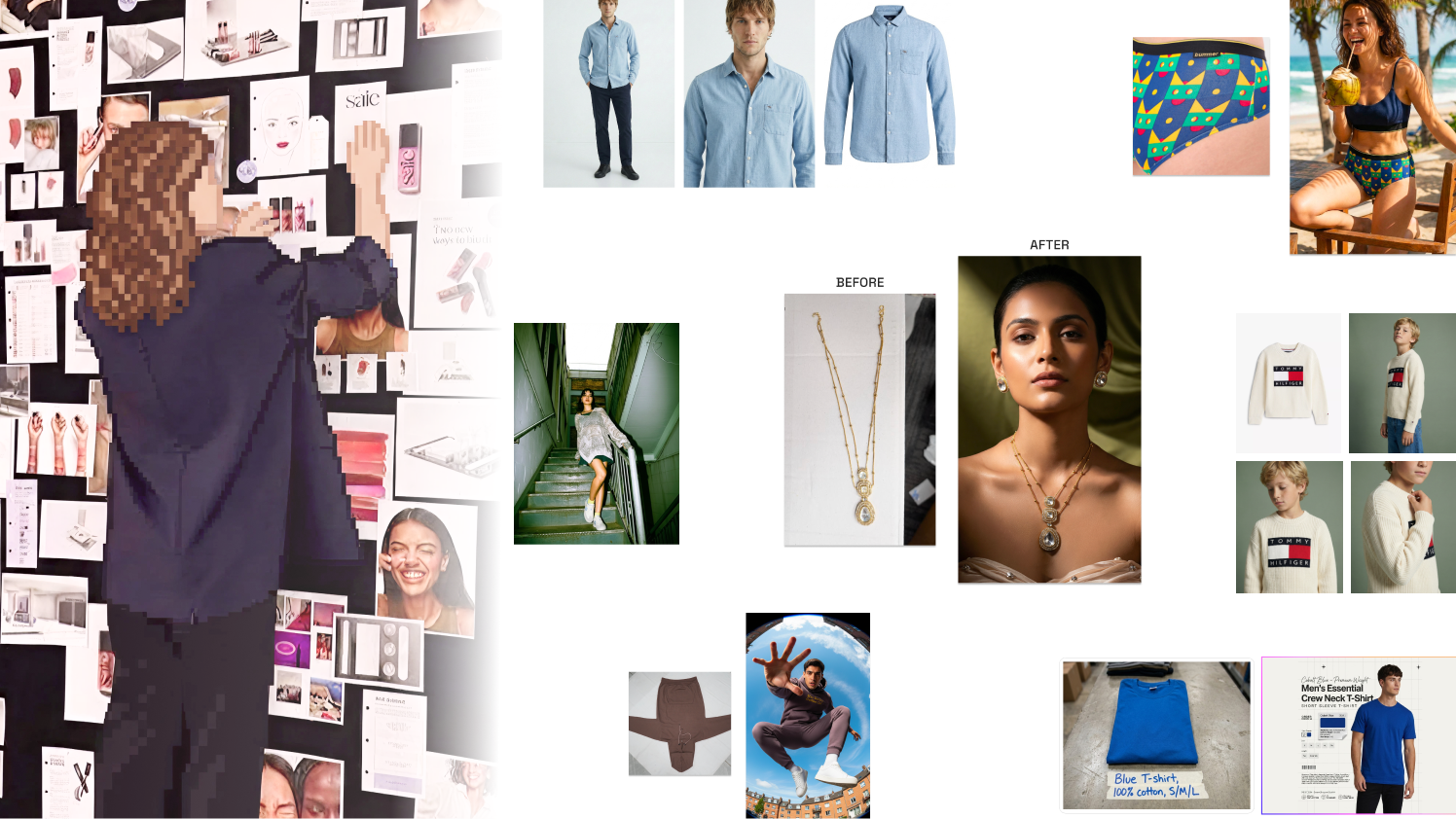
Monica is ShopOS’s AI Creative Director. She is not a generator. She is the layer of creative intelligence that sits above the tools.
The best way to understand what Monica actually does is through the output she produces. A brand uploads a single product image, for example a handbag. Monica does not wait for a detailed prompt. She reads Brand Memory, understands the product, identifies the campaign context, and produces a full set of ecommerce campaign visuals, catalog shots, social media ads, and campaign posters, all from that one upload.
The key detail is the human creative strategist in the loop. Before anything reaches the brand’s approval queue, a human creative reviews Monica’s output inside Cowork. That is the “AI plus human creative direction” model on the Monica page, and it matters for DTC brands who cannot afford to publish off-brand creatives at scale. The speed is AI. The quality gate is human.
Monica also connects to performance data. Your Meta, Google, and TikTok results are pulled and analysed daily. When a creative starts to fatigue, Monica flags it and generates a replacement campaign package, on-brand, on-format, ready for approval, before your ROAS has time to dip.
The integration map tells the full story: Monica connects to Shopify, Meta, Google Ads, and Analytics. When Monica produces a creative, it is already built for the channels it will run on. Gavin, the Performance Marketing agent, can pick up those assets and deploy them. Dinesh, the Email and CRM agent, can route product visuals into email sequences. Richard, the Shopify Store Manager, can handle the product page side. The visual does not get produced and then orphaned. It moves through the system.
How DTC Brands Can Use AI Product Photography Across Campaigns
AI product photography becomes powerful when it supports everyday ecommerce execution, not just the occasional big launch.
A wellness brand launching a new protein product may need a clean ecommerce image first. Then a kitchen lifestyle scene, a gym-focused ad visual, a morning routine image, a festive bundle creative, and a landing page hero. A traditional production model makes this a multi-week process. Inside ShopOS, Monica sets the direction, Spaces executes the production, Brand Memory keeps everything consistent, and the team moves to the next campaign.
Here is how DTC teams can use it across the calendar:
- Product launch visuals: Create multiple campaign directions in hours, not weeks. Test which visual angle connects before committing to a media budget.
- Paid ad testing: Build visual variations for different hooks, audiences, and offers without waiting on a studio. Feed performance data back to Monica so the next set starts smarter.
- PDP refreshes: Improve Shopify product pages with sharper, more contextual images that reduce buyer hesitation.
- Seasonal campaigns: Adapt product visuals for festivals, summer campaigns, gifting moments, or sale periods. Brand Memory ensures seasonal visuals still look like the same brand.
- Social media content: Create lifestyle-led visuals matched to the brand’s content calendar and platform format requirements.
- Email campaigns: Turn product assets into channel-ready banners and promotional creatives that Dinesh can route directly into sequences.
The point is not to create more images without purpose. It is to create the right images faster, with the brand logic already embedded in every output.
What a Strong Product Photography Workflow Looks Like Inside ShopOS
A strong AI product photography workflow does not start with a random prompt. It starts with the brand context that makes every output useful.
| Workflow Stage | ShopOS Feature | What It Delivers |
|---|---|---|
| Brand setup | Brand Memory | Visual identity, model preferences, scenes, voice, and compliance rules stored once and applied everywhere |
| Creative direction | Monica | Campaign angle, visual mood, and channel strategy based on brand context and performance data |
| Image production | Spaces | 4 variants per workflow in under 60 seconds, built for a specific commerce output type |
| Human review | Cowork | A human creative strategist reviews output before it reaches the approval queue |
| Channel deployment | Gavin, Dinesh, Richard | Assets routed to paid media, email, and Shopify without manual handoff |
A practical run looks like this:
- Brand Memory is set up once. Logo, colors, tone, photography style, model preferences, scenes, compliance rules.
- A new product goes live on the Shopify store.
- Monica reviews the product and the campaign context. She proposes a visual direction.
- The team selects a Space in Spaces: catalog shot, lifestyle image, ad creative.
- Spaces pulls the product from Shopify, applies Brand Memory defaults, and generates four variants in under 60 seconds.
- A human creative in Cowork reviews the output before it moves forward.
- Approved assets route to Gavin for paid, Dinesh for email, Richard for the Shopify PDP.
This is the difference between AI product photography as a one-off task and AI product photography as operational infrastructure.
Why ShopOS Turns AI Product Photography into Ecommerce Creative Infrastructure
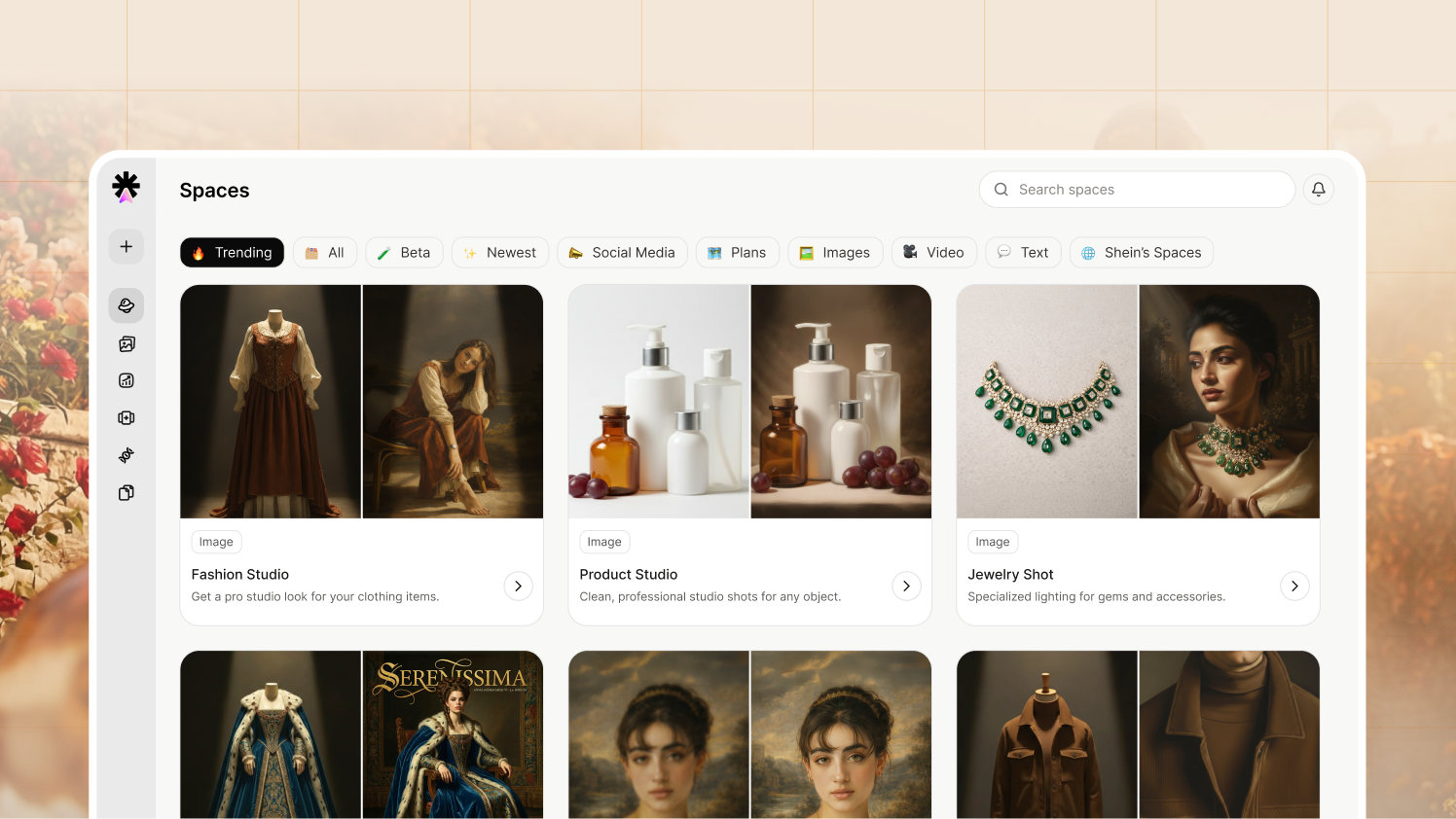
ShopOS is built specifically for ecommerce teams on Shopify. That is not an afterthought. The Shopify integration is native: Spaces pulls directly from your store, Monica monitors your Shopify-connected ad performance, and Richard manages the product page side of the equation. DTC brands on Shopify are not bolting an AI tool onto their stack. They are adding an AI team that already speaks their operating language.
This matters because a DTC brand does not operate in isolated creative tasks. A product visual becomes a Meta ad, a Shopify image, an email banner, a landing page asset, a social post, and a retargeting creative. The same product needs different versions across the full customer journey.
ShopOS connects those workflows. Monica produces the creative direction. Spaces executes the visual production. Brand Memory keeps every output on-brand without re-briefing. And the wider agent ecosystem, Gavin for performance, Dinesh for email, Richard for Shopify, handles what happens to those images after they are approved.
The value for DTC brands is not only faster output. It is an AI system that understands the brand, supports creative decisions, and produces visuals that are ready to sell across every channel, every campaign, and every season — without starting from zero each time.
That is what turns AI product photography from a useful shortcut into a competitive advantage.
Final Thoughts: AI Product Photography Is Becoming Brand Infrastructure
DTC brands are not moving away from creativity. They are moving away from slow, expensive production cycles that cannot keep pace with modern ecommerce.
Studio shoots will still matter for major campaigns and premium storytelling. But daily ecommerce execution — the ad refreshes, the PDP updates, the seasonal drops, the email banners — needs a faster and more structured model.
AI product photography gives brands that speed. But speed without brand control just produces off-brand content faster.
The real advantage comes when the system remembers your brand, understands your campaign, and produces visuals that are ready for the channel they will run on. That is what Monica, Spaces, and Brand Memory deliver together inside ShopOS.
A basic AI image generator for ecommerce can create an image.
ShopOS can create the right image, in your brand style, for your campaign, ready to deploy, before your competitors have finished the brief.
Your Next Product Visual Shouldn’t Take Two Weeks
One product image can become catalog shots, lifestyle visuals, paid-social creatives, seasonal assets, and campaign-ready variations without restarting the production process every time.
Let Monica set the creative direction while Spaces and Brand Memory keep execution fast and unmistakably yours.
Book a Demo to See Monica Build a Campaign
FAQs
What is AI product photography?
AI product photography is the use of artificial intelligence to create, edit, stage, or adapt product visuals for ecommerce and marketing. It helps brands create product images for websites, ads, emails, social media, and campaigns without arranging a full studio shoot for every requirement.
How can DTC brands generate product photos with AI?
DTC brands can generate product photos with AI by uploading a product image or selecting directly from their Shopify store, choosing a visual direction, selecting the campaign or channel use case, and using AI to create different backgrounds, lifestyle scenes, or campaign-ready visuals. A strong workflow also includes product accuracy checks and brand consistency built in from the start.
Is an AI product image generator enough for ecommerce brands?
An AI product image generator can be useful, but ecommerce brands usually need more than image creation. They need product accuracy, brand consistency across sessions and team members, campaign alignment, and channel-ready formats. This is why many teams are moving toward AI agents for product photography backed by brand memory, rather than relying on basic image tools that forget the brand each time.
What are AI agents for product photography?
AI agents for product photography are AI systems that use brand, product, campaign, and channel context to support visual creation. Unlike basic tools that only respond to prompts, an AI product photography agent like Monica can generate a full campaign set from a single product image, route it for human creative review, and connect the output to performance channels without the team having to manage each step manually.
What is Spaces and how does it work?
Spaces is ShopOS’s dedicated AI product image and visual workflow tool. It contains over 100 purpose-built workflows, each designed for a specific commerce task: catalog shots, lifestyle images, ad creatives, and more. A DTC brand picks a Space, adds their product (by upload, URL, or directly from their Shopify store), customizes the scene or lets Brand Memory handle the defaults, and generates four variants in under 60 seconds. Unlike general-purpose AI image generators, each Space already knows what a good output looks like for that specific commerce job.
What does Brand Memory store and why does it matter?
Brand Memory is ShopOS’s persistent context layer. It stores visual identity (colors, logo rules, photography style, lighting direction), model preferences (body types, poses, styling), scene preferences (backgrounds, environments, seasonal variations), brand voice (tone, sentence structure, words to use and avoid, CTA patterns), and compliance rules (marketplace requirements, legal disclaimers). Every ShopOS agent reads Brand Memory before producing any output. For DTC brands, this means visual consistency across sessions, team members, and channels — without re-briefing the system each time.
How to scale a DTC brand without depending too much on agencies?
The best way to scale a DTC brand is to build a repeatable internal operating system for content, campaigns, product launches, customer insights, and performance learning. Agencies can support execution, but growth becomes fragile when every creative, campaign update, or store change depends on external turnaround time. Platforms like ShopOS help DTC teams reduce agency dependency by using Brand Memory, AI agents, Openclaw, and Loops to create faster workflows while keeping brand control inside the business.
How does Monica work as an AI Creative Director?
Monica takes a single product image and produces a full campaign set: catalog shots, social media ads, and campaign posters, all on-brand and channel-ready. She connects to Meta, Google, and TikTok performance data, monitors for creative fatigue, and generates replacement campaigns before ROAS drops. Every output goes through a human creative strategist in Cowork before reaching the brand’s approval queue. Monica also hands off to other ShopOS agents — Gavin for paid media deployment, Dinesh for email, Richard for Shopify — so approved assets move through the system without manual handoff.
How does ShopOS support DTC brands on Shopify specifically?
ShopOS is built for Shopify-native ecommerce operations. Spaces connects directly to a brand’s Shopify store so products can be pulled into visual workflows without manual export or re-upload. Monica monitors Shopify-connected ad performance and generates campaign refreshes when creative starts to fatigue. Richard, the Shopify Store Manager agent, handles the product page execution side. For DTC brands on Shopify, ShopOS is not an add-on tool — it is an AI team built around their existing operating stack.